
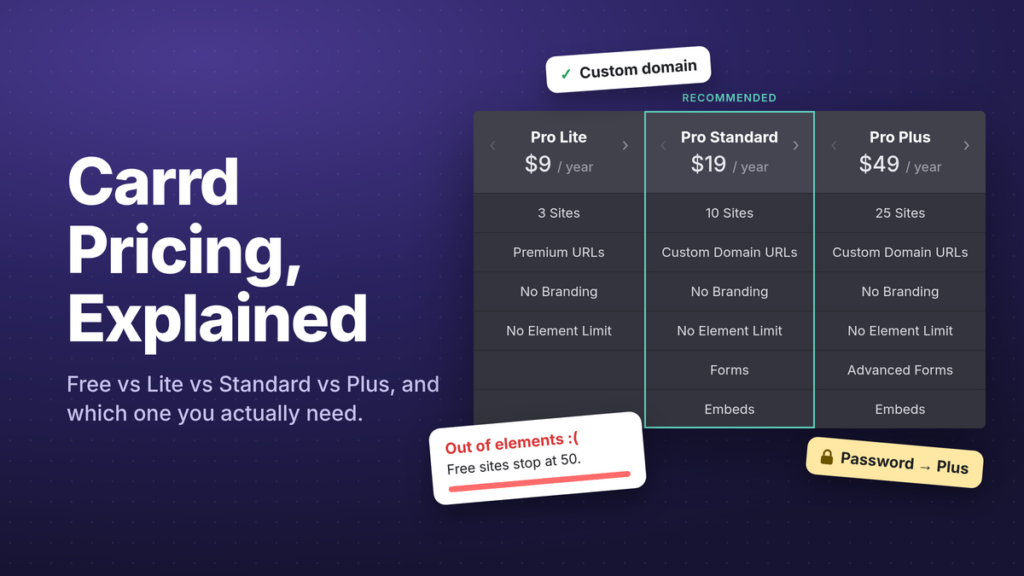
Carrd is famous for one number: $19 a year. That’s what a website costs on it – comparable to what other builders charge for a single month. Cheap, simple, done.
But there are four plans, not one. The free plan has a limit nobody warns you about until you hit it. Pro Lite sounds like “Pro, but lighter” and doesn’t include what most people buy Pro for. And Pro Plus costs more than double Standard for features you can partly fake on Standard with a bit of code.
TL;DR
Carrd Pro is $9, $19 or $49 a year: yearly only, no refunds, no monthly plan. Free is fine for a small link page until you hit 50 elements; Pro Lite lifts the cap and the branding; Pro Standard is the plan for anyone with a domain, a form or a piece of custom code, and Pro Plus is for password protection and form-based checkouts. Even with a domain, Standard costs less than two months of Squarespace. Start with Standard; the prorated upgrade is there if you ever need Plus
Why did we write an article about Carrd pricing?
The 4 plan setup looks very simple from the outside. But is a little trickier than that. We have customers and friends ask about plan limitations and Carrd pricing all the time. We also hang out on r/Carrd and noticed internet strangers ask questions about Carrd Pro pretty much every week. This post is the answer we wish we could just link: which plan you need, what breaks if you pick the wrong one, and what Carrd really costs per year once you add a domain.
Fair warning: we sell Carrd templates, so we’re biased in Carrd’s favor. But we’ll still tell you where it falls short.
Carrd pricing at a glance
Carrd has four plans, all billed yearly, all in US dollars. There’s no monthly option, and VAT or sales tax may come on top depending on where you live.
| Plan | Price / year | Roughly per month | Sites | Get it for… |
|---|---|---|---|---|
| Free | $0 | $0 | 3 | Trying Carrd; a small link-in-bio page |
| Pro Lite | $9/year | $0.75 | 3 | No branding, no element cap (but no own domain) |
| Pro Standard 🏆 | $19/year | $1.58 | 10 | Custom domain, forms, custom code, analytics |
| Pro Plus | $49/year | $4.08 | 25 | Advanced forms, password protection, per-element CSS |
🏆 Our pick for most readers: Pro Standard. It’s the cheapest plan with a custom domain, forms and the Embed element. If you’re unsure, start there. You can move up later by paying the difference.
Each Pro tier also comes in bigger site-count versions (Lite 10, Standard 25, and so on). We cover that ladder further down.
Is Carrd free? It can be. Here’s what the free plan really gives you
Yes. Carrd has a real free plan: no credit card, no expiry date, no “free for 14 days” nonsense. You get:
- 3 sites (Carrd calls them site slots)
- a
yourname.carrd.coaddress with automatic SSL - all the basic elements: text, images, buttons, lists, icons, containers, dividers and so on
- the standard templates
- a small “( Made with Carrd )” line at the bottom of every page that can not be removed

That’s genuinely enough to publish something decent, and the footer is tiny. But there is a catch you need to know about:
The 50-element limit
A free site can contain 50 elements. That’s the figure in Carrd’s own docs under “Out of elements”, and it’s the number that sends people to Reddit in a panic.
What’s an element? Everything you add via the Elements panel: every text block, image, button group, divider and container. A hero headline, subline, button and image is already four elements. A footer with a few columns of links is easily another handful. Roughly speaking, it adds up fast.
Here’s our own Elements panel on a plain SaaS landing page: hero, three text sections, some buttons, a footer. Nothing fancy.
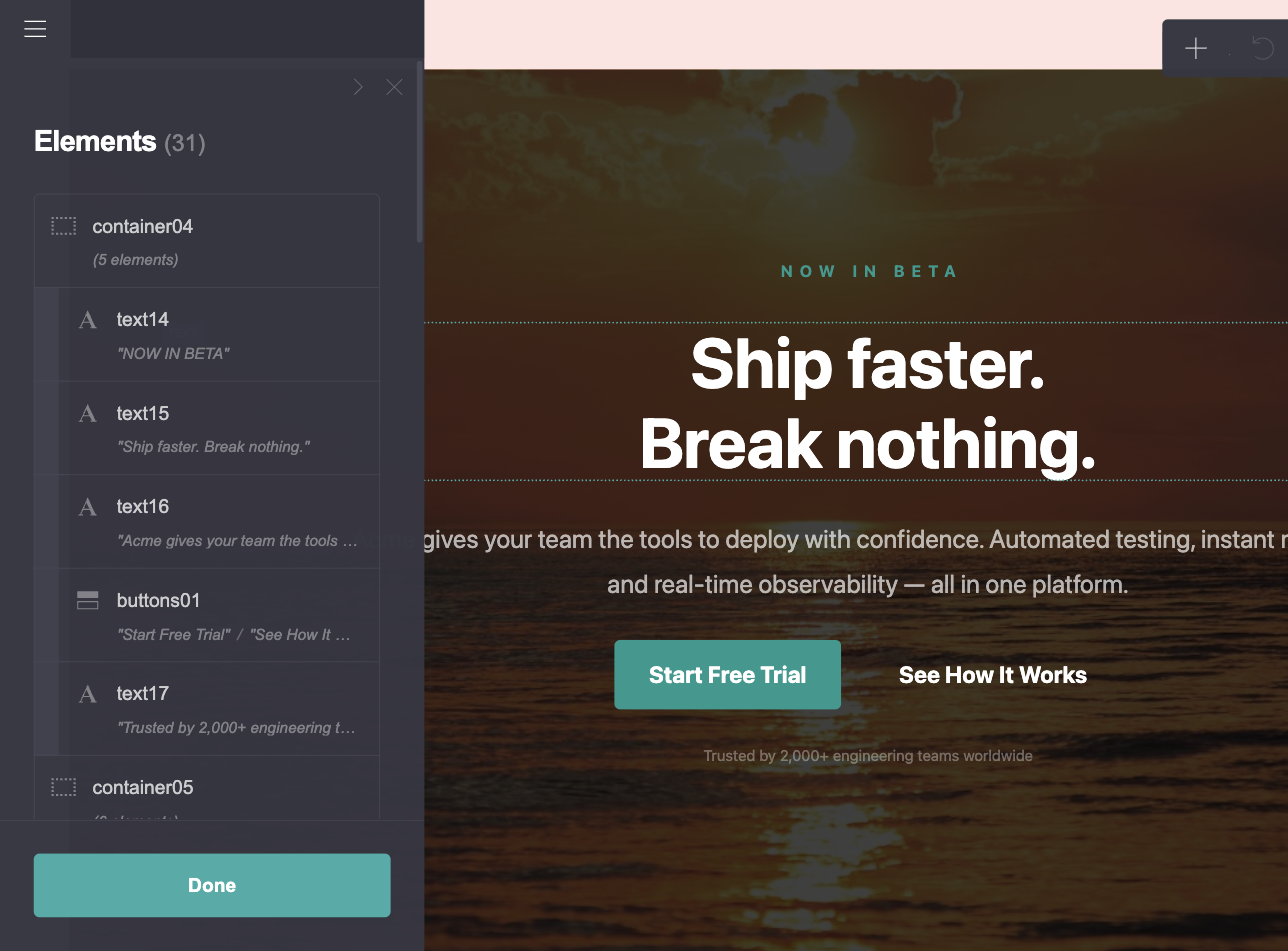
31 of 50 gone, and that page has no gallery, no FAQ, no testimonials. (The count in the panel is new; Carrd added it in August 2026. Before that you found out the hard way.)
This is what “the hard way” looks like. Element number 51 on our free test account:
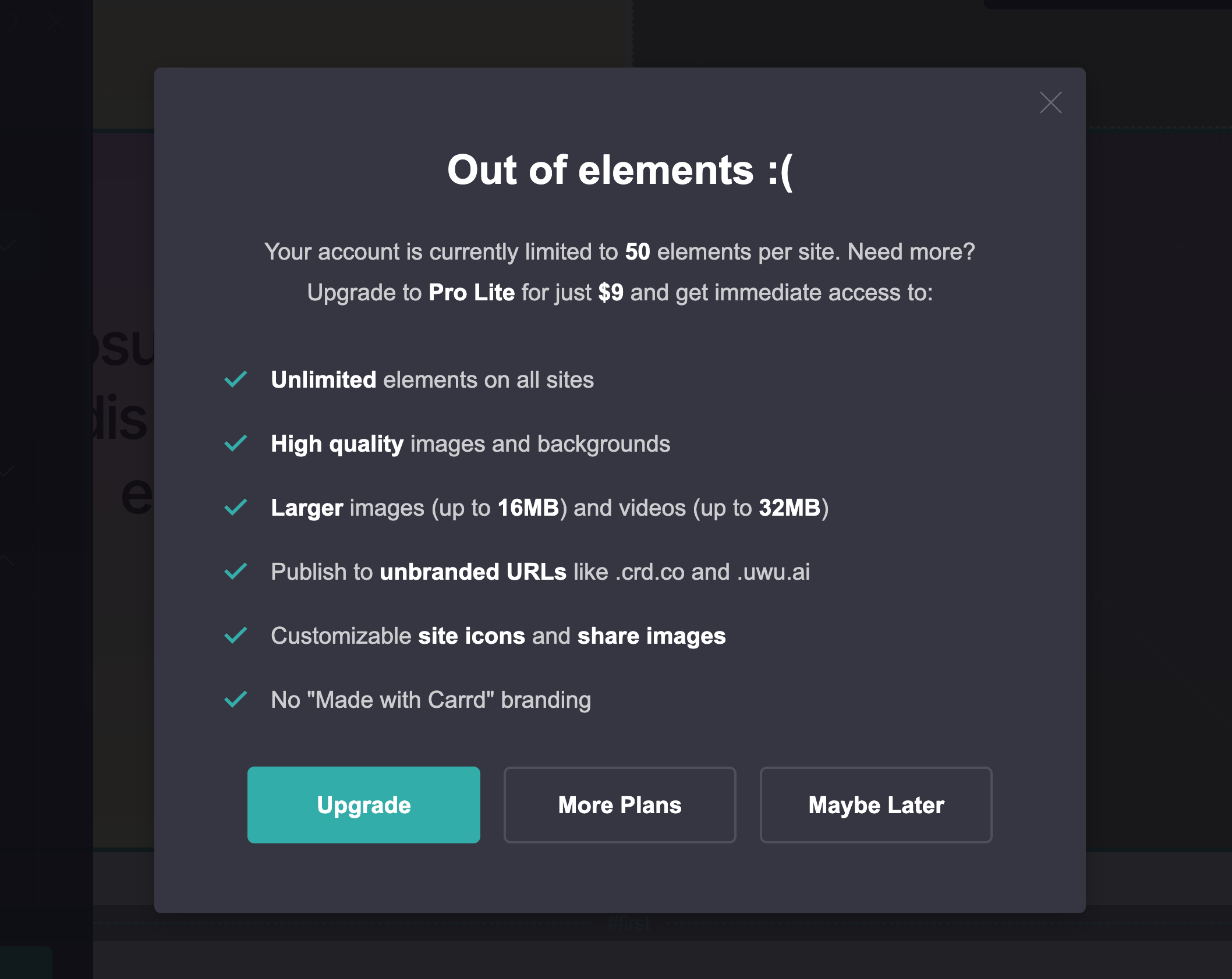
Real people, real walls:
“i didnt realise there was a 50 element limit… im losing my mind” – a student on r/Carrd
“As I’m making mine, I run out of elements. Is it worth paying for pro…” – a Linktree switcher on r/Carrd
ℹ️ 50, 100 or 150? You’ll see all three numbers online. Reviews from 2019 say 100. Accounts created before roughly 2020 were grandfathered in at 150, which is why some old-timers ask “is this a bug?” when they hear 50. The Pro Trial also gets 150. Any free account you create today: 50.
Images get compressed
Free-plan images are downscaled and compressed on upload, and the Image element caps uploads at 2 MB. Carrd doesn’t advertise the number on its pricing page, but the editor tells you:
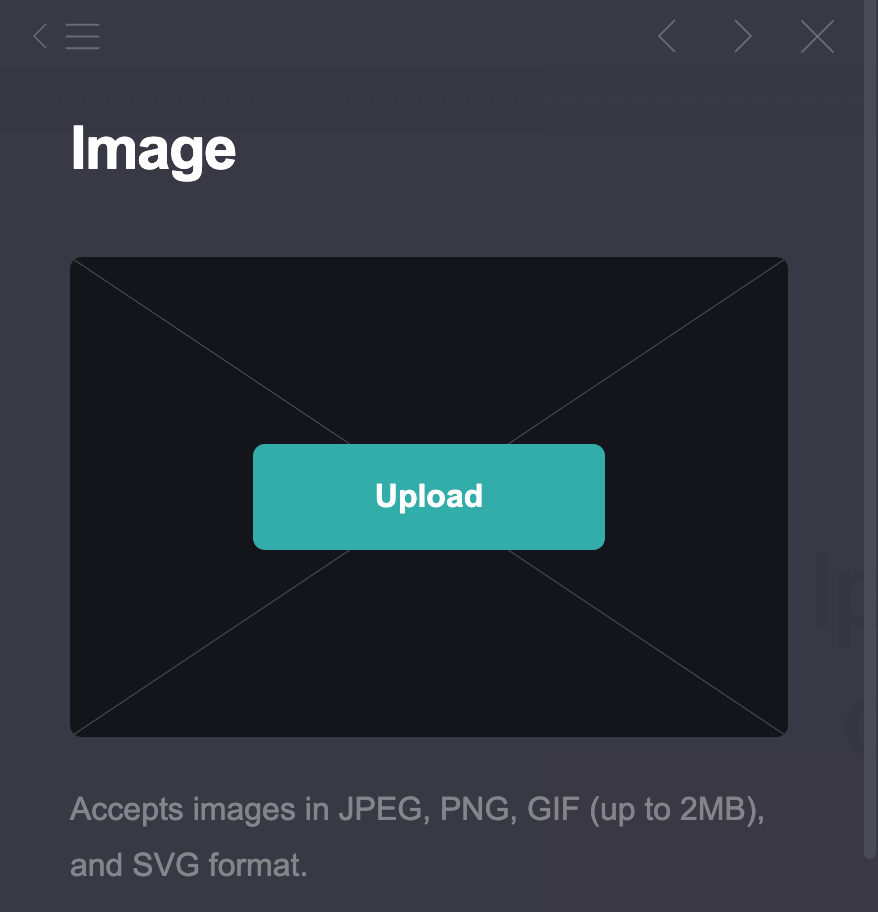
Add a steady stream of “crisp in the editor, blurry on the live site” threads (r/Carrd every few months). For a text-heavy bio page that’s fine. For a photography portfolio it’s a dealbreaker.
What’s not on free
Open the Add Element menu on a free account and you can see the wall: the last four entries before Container all carry a lock.
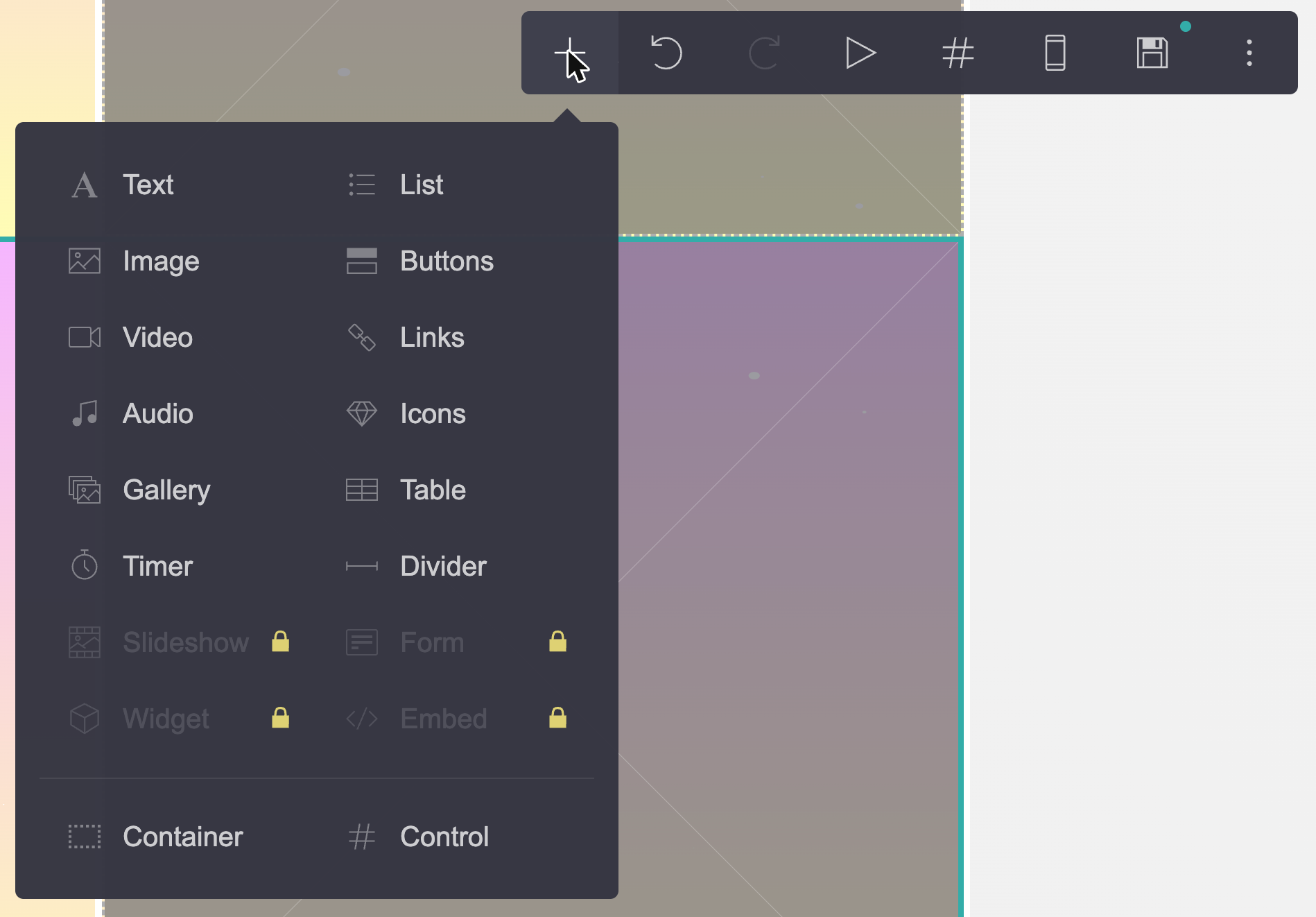
- No forms of any kind, not even a contact form
- No Embed element, so no custom code: no Tally, no Calendly, no custom CSS
- No video uploads (YouTube and Vimeo embeds work fine)
- No favicon, no share image, no slideshows
- No analytics, not even a Google Analytics ID
- No premium or custom templates
- No custom domain
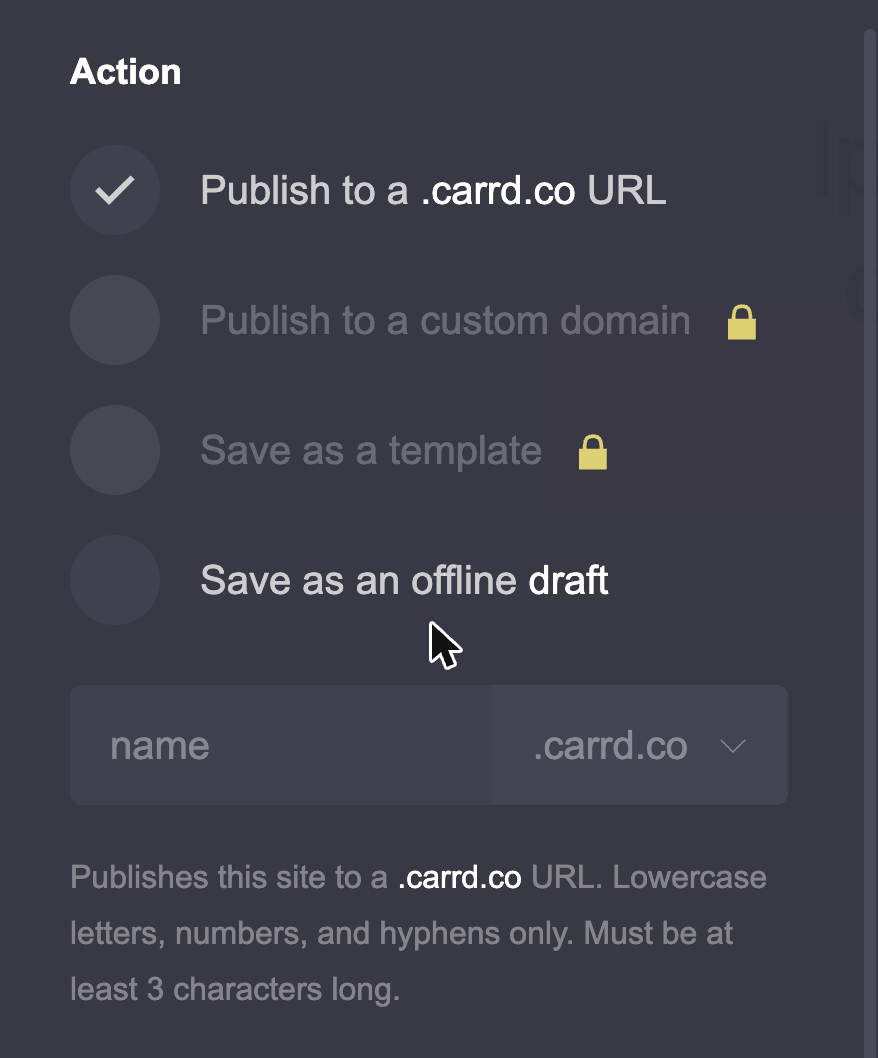
The Publish panel has locks of its own: publishing to a custom domain and saving your site as a template both wait for Pro.
Site slots: drafts count
Your 3 slots are used by published sites and drafts and saved templates (Carrd’s own explanation). Want to try two templates before deciding? That’s two slots gone. The trash on a free account empties after 3 days (14 on Pro).
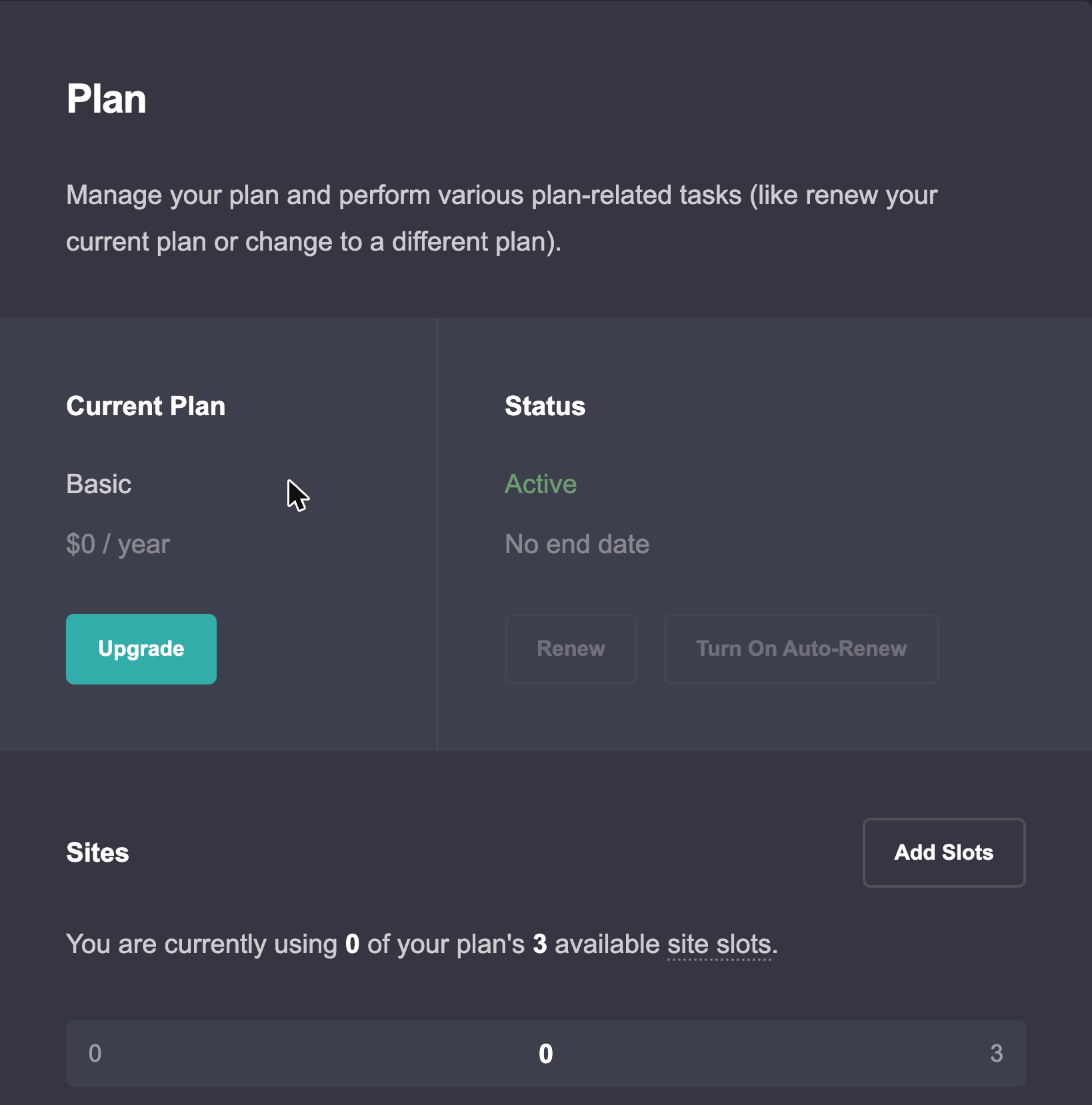
(Account → Plan calls the free plan “Basic”. We’ll just say “the free plan”.)
⚠️ A workaround that backfires: some people link two free sites together with buttons to sneak past the 50 elements. One user got the site taken offline for a ToS violation. So don’t do it. Juggling multiple free accounts is a similar gray zone. If you need more than 50 elements, think about getting the $9 Lite plan is for.
So what works on free?
- ✅ Link-in-bio page: photo, short bio, six to eight buttons, social icons. Comfortably under 50.
- ✅ Event invite or wedding page: date, place, a couple of photos, an RSVP button that opens a mailto link
- ✅ A “coming soon” page with a headline and one button
- ❌ A portfolio with 20+ images (the element count and the compression both bite)
- ❌ Anything with a contact form or newsletter signup
- ❌ Anything on your own domain
If you’re in the top half, stay free. Nothing wrong with that.
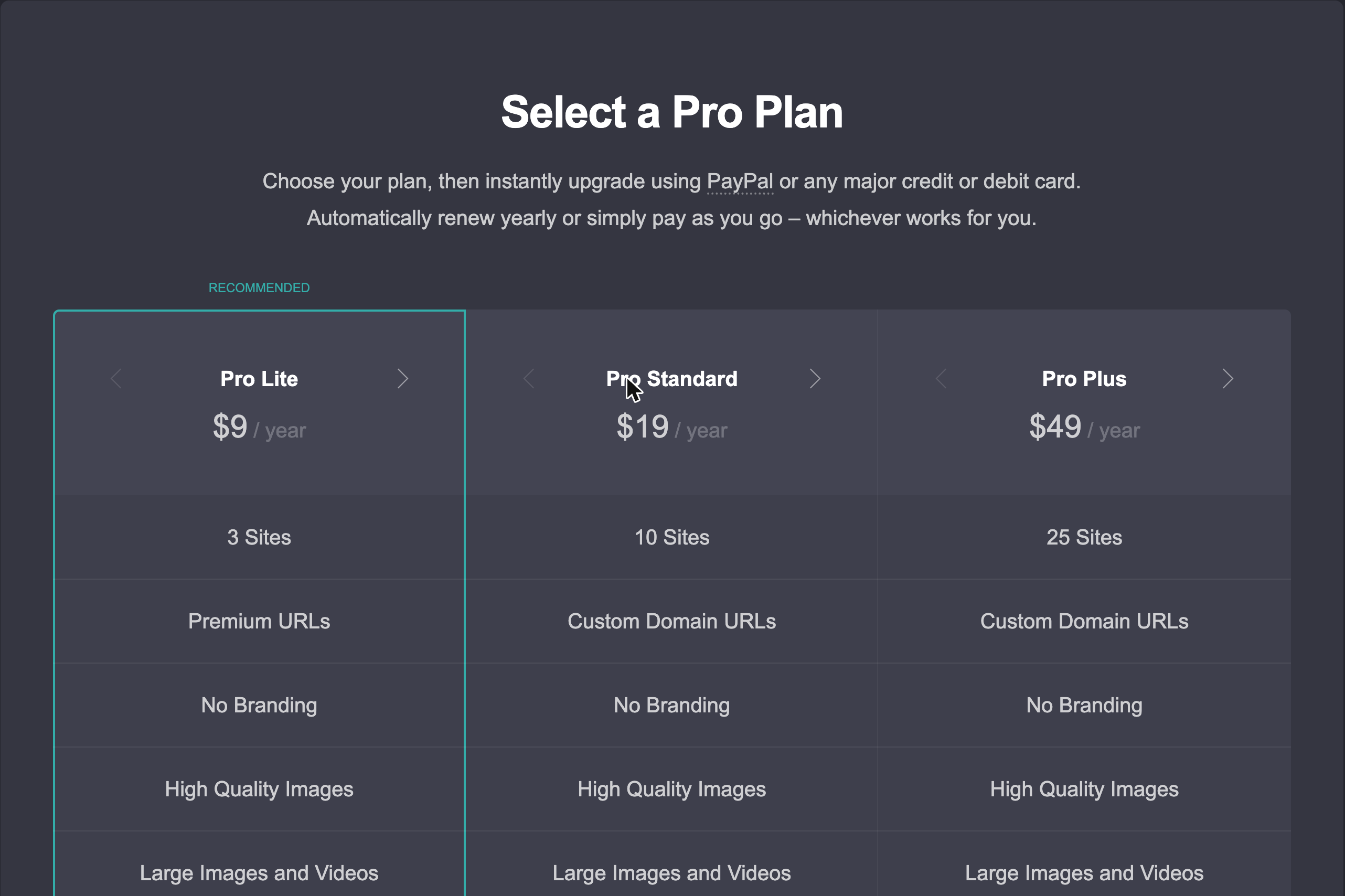
If you’re in the bottom half, the Upgrade button in your dashboard lands here. Note the line under the heading: pay by PayPal or card, auto-renew yearly or simply pay as you go. More on that in the billing section.
Pro Lite vs Pro Standard vs Pro Plus: the differences that matter
Carrd’s pricing page lists around 30 feature rows. Here’s the same information grouped by what you actually want to do:
| Free | Pro Lite $9/year | Pro Standard $19/year | Pro Plus $49/year | |
|---|---|---|---|---|
| Sites | 3 | 3 | 10 | 25 |
| Elements per site | 50 | Unlimited | Unlimited | Unlimited |
| “Made with Carrd” footer | Shown | Removed | Removed | Removed |
| Premium URLs (.crd.co, .ju.mp, .drr.ac, .uwu.ai) | ❌ | ✅ | ✅ | ✅ |
| Custom domain | ❌ | ❌ | ✅ | ✅ |
| Images | Compressed, 2 MB | High quality | High quality | High quality |
| Video upload, slideshows | ❌ | ✅ | ✅ | ✅ |
| Favicon, share image, QR code | ❌ | ✅ | ✅ | ✅ |
| Premium and custom templates, sharing, transfers | ❌ | ✅ | ✅ | ✅ |
| Contact and newsletter forms | ❌ | ❌ | ✅ | ✅ |
| Widgets (Stripe, PayPal, Gumroad, Typeform buttons) | ❌ | ❌ | ✅ | ✅ |
| Embed element (custom HTML/CSS/JS) | ❌ | ❌ | ✅ | ✅ |
| Analytics, pixels, meta tags, local fonts | ❌ | ❌ | ✅ | ✅ |
| Advanced forms (custom fields, file upload, Zapier, Stripe Checkout) | ❌ | ❌ | ❌ | ✅ |
| Advanced Settings (IDs, classes, per-element CSS, visibility) | ❌ | ❌ | ❌ | ✅ |
| Password protection, redirects, variables | ❌ | ❌ | ❌ | ✅ |
| Download site as HTML | ❌ | ❌ | ❌ | ✅ |
| Site files, framing, update frequency, canonical URL | ❌ | ❌ | ❌ | ✅ |
| Trash keeps deleted sites | 3 days | 14 days | 14 days | 14 days |
Pro Lite ($9 a year, 3 sites)
Lite fixes the two free-plan pains: the element cap is gone and the footer branding goes away. You also get:
- Premium URLs like
yourname.crd.cooryourname.ju.mp(still no custom domain) - High-quality images and much larger uploads. How much larger depends where you look: Carrd’s pages disagree, with 16 MB on the pricing page and 32 MB in the changelog. Either way, free is 2 MB.
- Video uploads and slideshows
- Favicon, a share image for social previews, QR codes
- Premium templates, plus the ability to save your own site as a template
- Sharing and site transfers, and the Maker Program if you want to sell templates yourself
What’s still missing is everything that talks to the outside world: no custom domain, no forms, no Embed element, no analytics. Three of the seven pages ranking for “carrd pricing” claim Lite includes a custom domain. It doesn’t.
Get Lite if: you’re building an aesthetic page, a fan or RP page, or a link-in-bio that outgrew 50 elements, and you’re happy with a Carrd URL. It’s the “unlimited elements for $9” plan. One oddity worth knowing: folders for organizing your sites only start at Lite 10 ($14 a year).
Pro Standard ($19 a year, 10 sites)
This is where Carrd becomes a business tool. Standard adds everything from Lite plus:
- Custom domain with free SSL, via Cloudflare (subdomain setup guide)
- Forms: a contact form that emails you, or a signup form connected to one of 20 newsletter providers: Kit, Mailchimp, MailerLite, beehiiv, Brevo, Klaviyo, HubSpot, Loops and more. Spam protection via Turnstile, reCAPTCHA or hCaptcha.
- Widgets: Stripe, PayPal, Gumroad and Typeform buttons without writing code
- The Embed element: paste any HTML, CSS or JavaScript, inline or hidden in the head or body. Tally forms, Calendly, Google Maps, custom fonts, custom CSS: it all goes through here.
- Analytics: Google Analytics, Plausible, Fathom, Matomo, PostHog, Umami and others, plus Meta, TikTok and LinkedIn pixels
- Meta tags (for site verification and the like), locally served fonts, UTM capture in forms
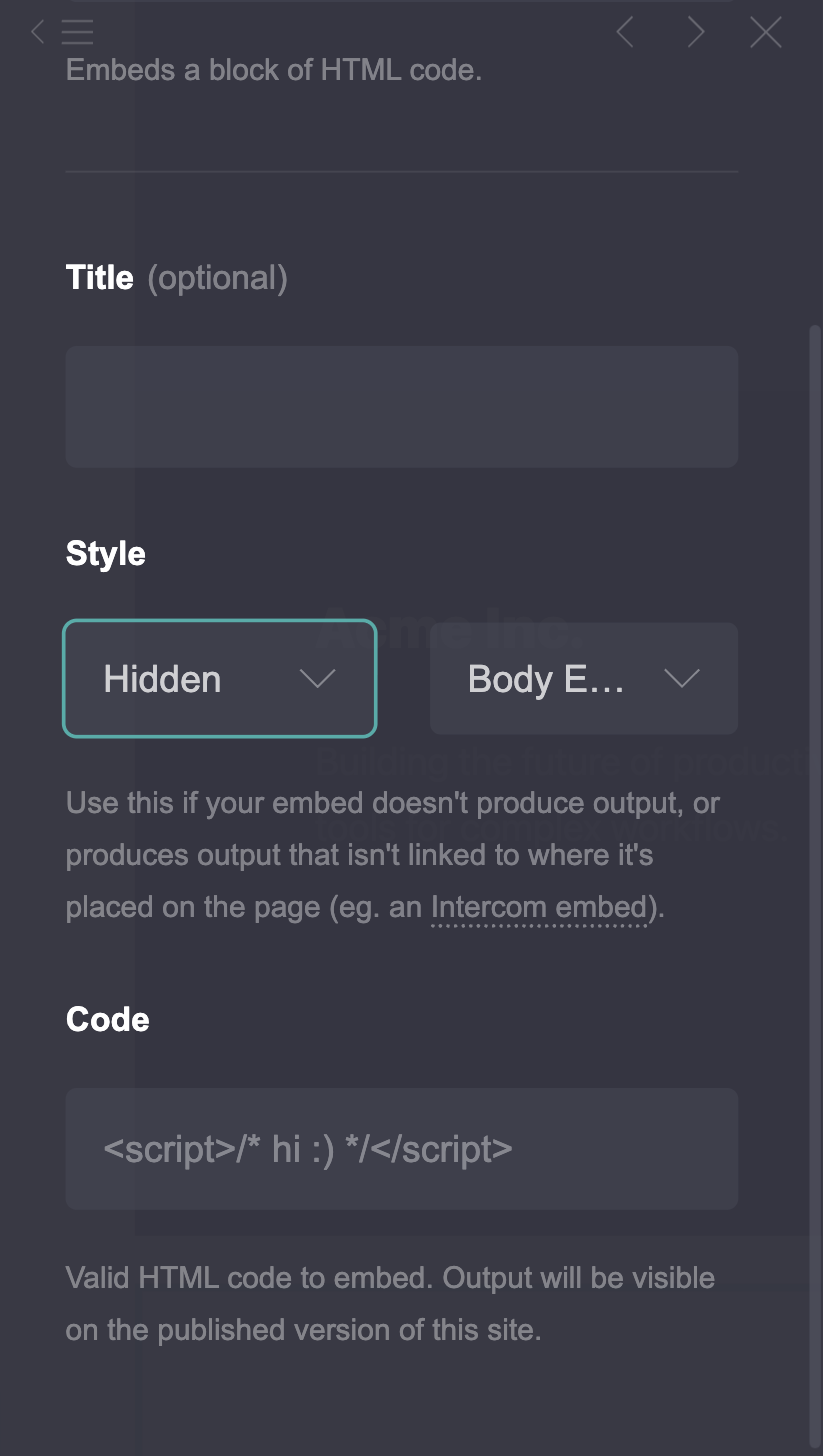
That Embed element is why most of our tutorials say “needs Pro Standard”. Want gradient buttons? Embed. Google reviews on your page? Embed. Some custom CSS to nudge a container? A <style> block in an Embed element, targeting the element’s ID (every element gets one, like #container01). Boom.
Get Standard if: you’re a freelancer, a startup, a small business, a portfolio, anyone who wants their own domain and a way for visitors to contact or subscribe. Almost everything else works via Embed.
⚠️ One thing to know: on Standard, form submissions are emailed to you, or handed straight to your newsletter provider. There’s no submission inbox inside Carrd. Plan for that.
No, Standard forms aren’t capped at 10 submissions
A promo thread on r/Carrd once claimed Standard forms stop at 10 submissions a month and Plus at 2,500. Nope. The original poster later corrected it themselves: “No there isn’t any form submission limits.”
Pro Plus ($49 a year, 25 sites)
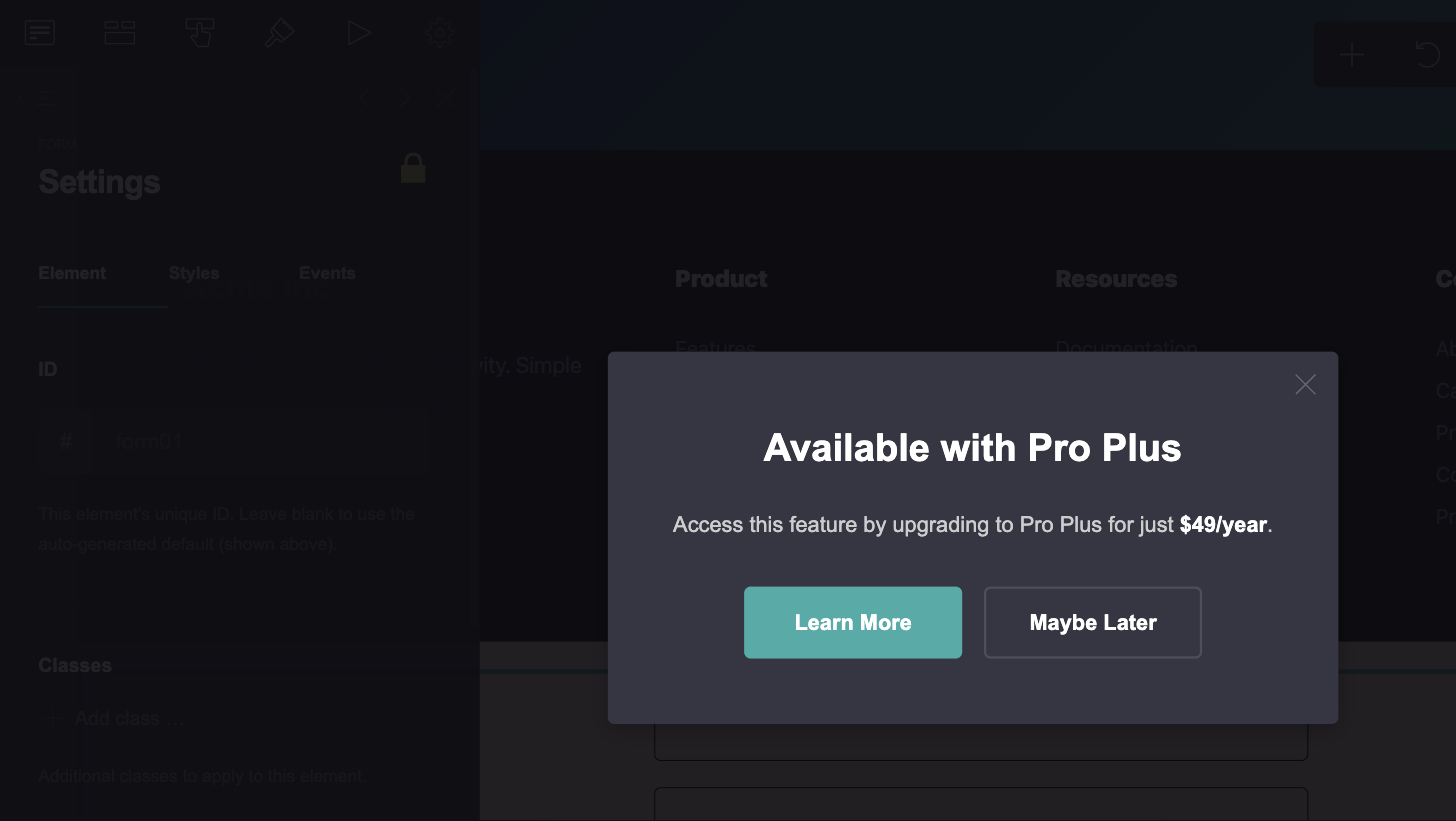
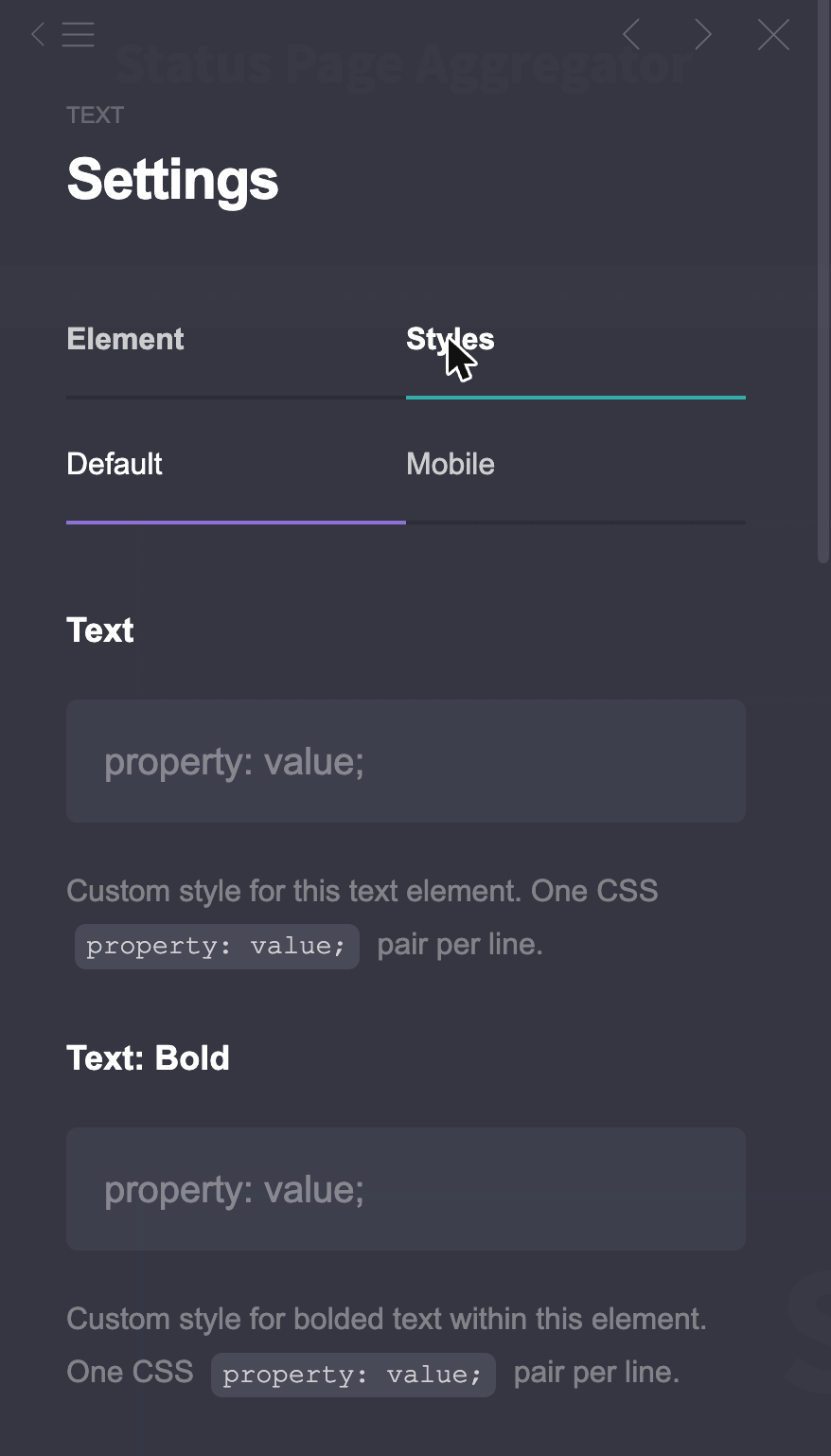
Plus is Standard with the locks removed. On a Standard account you’ll see little lock icons around the editor: on the Styles tab of every element’s Settings panel, and in Publish → Settings. Click one and you get this:
What’s behind those locks (Carrd’s features page has the full list):
- Advanced forms: custom fields (including file upload), sending to a URL or to Zapier, Make, n8n or Airtable, and Stripe Checkout so a form can take payment
- Advanced Settings on every element: fixed IDs, custom classes, custom CSS properties, JavaScript events, and show/hide per desktop or mobile. (Our element styles guide covers what to do with them.)
- Password protection for a site. Whole site only; you can’t protect a single section.
- Redirects (301, with wildcards), variables like
{{url.utm_source}}, site files (robots.txt, ads.txt) - Download your site as plain HTML, CSS and JS
- Framing, update frequency (cache control) and canonical URL
Get Plus if: you take payments or file uploads through a form, you need password-protected client previews, or you write a lot of custom CSS and are tired of doing it through an Embed workaround.
Honest note: for styling, Standard plus one Embed element gets you most of the way there. One r/Carrd user who wanted custom CSS on a container put it bluntly: “there’s no way I’m spending $49 just for this feature.” They didn’t have to. A <style> tag in an Embed targeting #container01 did the job. Plus is convenience, advanced forms and passwords. That’s a fair $30 for some people and a waste for others.
⚠️ You can’t test that workaround on the Pro Trial, because the trial has no Embed element. More on that in the trial section.
Which plan do you need?
Find your job in the left column. The right column is the cheapest plan that does it.
| I want to… | Minimum plan |
|---|---|
| Remove the “Made with Carrd” footer | Pro Lite |
| Use more than 50 elements | Pro Lite |
| Upload sharp, uncompressed images | Pro Lite |
| Upload video, add a favicon, set a share image | Pro Lite |
| Sell templates in the Maker Program | Pro Lite |
| Use folders in the dashboard | Pro Lite 10 ($14) |
| Use my own domain | Pro Standard |
| Newsletter signup (Kit, Mailchimp, beehiiv…) | Pro Standard |
| Contact form | Pro Standard |
| Google Analytics, Plausible, Meta pixel | Pro Standard |
| Gumroad, Stripe or PayPal button | Pro Standard |
| Embed Tally, Calendly, Google Maps, any custom code | Pro Standard |
| Custom font | Pro Standard (via Embed) |
| Custom CSS | Pro Standard (via Embed) or Pro Plus (native, per element) |
| Show or hide an element on mobile only | Pro Plus |
| Password-protect a site | Pro Plus |
| Redirect an old URL to a new one | Pro Plus (or a free redirect plugin on Standard) |
| Add custom form fields or a file upload | Pro Plus |
| Send form entries to Zapier, Make, n8n or Airtable | Pro Plus |
| Take payments inside a form (Stripe Checkout) | Pro Plus |
| Download my site as HTML | Pro Plus |
| Add robots.txt or ads.txt | Pro Plus |
Answer these questions and you’ll know:
- Need Own domain, a form, or any custom code? No → Free (under 50 elements) or Lite. Yes → keep going.
- Need Password protection, payments inside a form, or per-element CSS without workarounds? No → Pro Standard. Yes → Pro Plus.
- Need More than 10 sites? See the site ladder in the next section.
Need more sites? The site ladder
Every Pro plan comes in bigger sizes. Same features, more site slots, and the price per site drops the higher you climb. In Account → Plan, the Add Slots button takes you to the same plan-change page you’d use to switch tiers.
| Sites | Pro Lite | Pro Standard | Pro Plus |
|---|---|---|---|
| 3 | $9/year | – | – |
| 10 | $14/year | $19/year | – |
| 25 | $29/year | $39/year | $49/year |
| 50 | – | $69/year | $89/year |
| 100 | – | $119/year | $159/year |
| 250 | – | $249/year | $349/year |
| 500 | – | $399/year | $599/year |
| 1000 | – | $599/year | $999/year |
All USD, tax extra. Two things worth knowing:
- Folders for organizing sites start at Pro Lite 10. Base Lite doesn’t have them. Because why would you need folders for 3 sites.
- The per-site price is why agencies live here. Pro Standard 100 is $119 a year, which is $1.19 per site. As one r/nocode user put it: “I’m on the 100 website plan on Carrd, and it’s much cheaper than anything else.”
ℹ️ What counts as a site? Everything except the trash: published sites, offline drafts, saved templates and archived sites all take a slot. There’s no “it’s only a draft” exception.
The 7-day Pro Trial: what’s in, what’s out, and the trap
Carrd gives every new account a 7-day Pro Trial. No card needed. You’ll usually be offered it the first time you click a Pro feature in the builder.
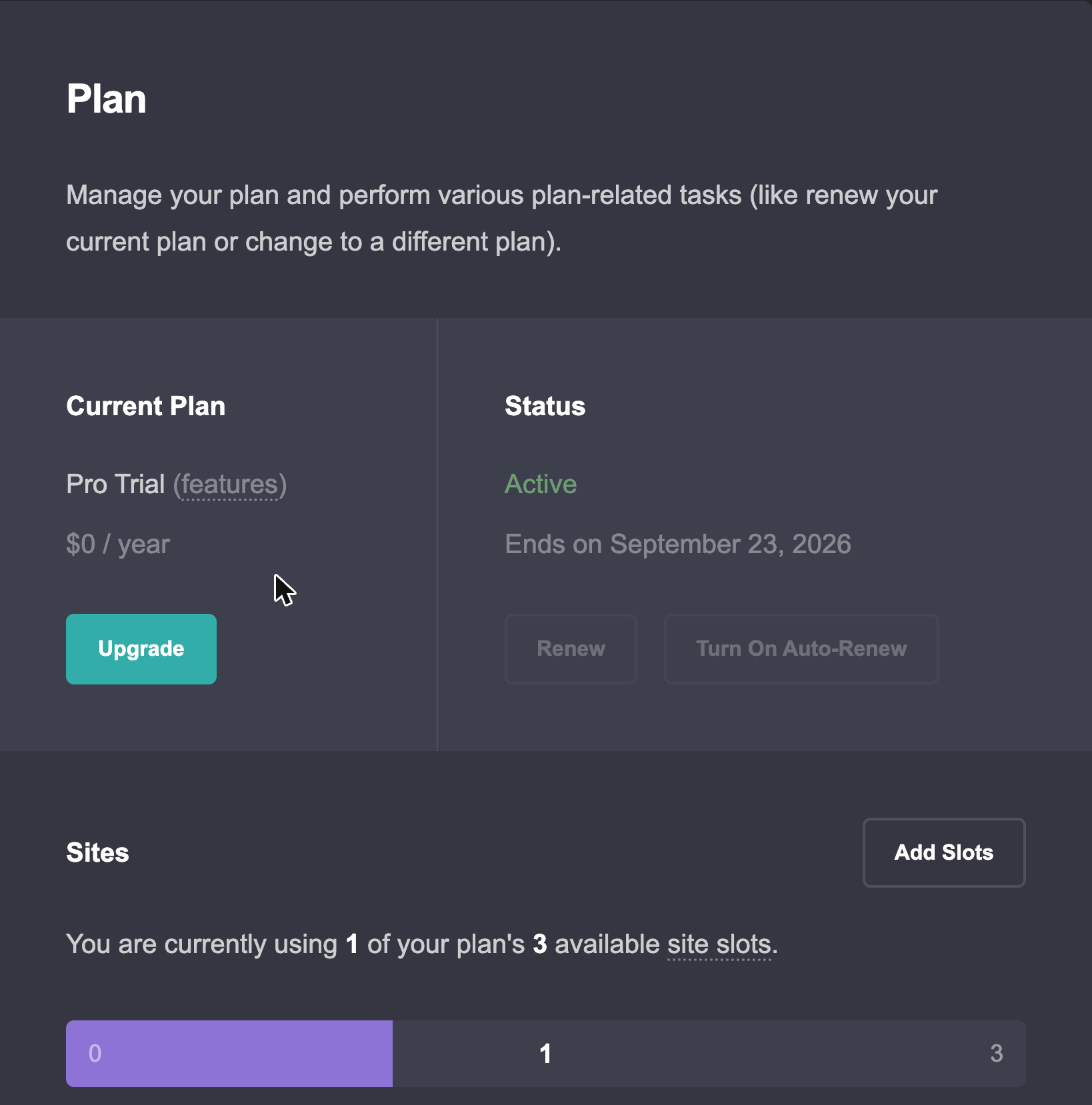
What the trial includes: custom domain, forms and advanced forms, widgets, no branding, premium templates, high-quality images, video uploads, slideshows, favicon, share image, analytics, meta tags, and a 150-element limit instead of 50. Still 3 site slots.
What it leaves out: the Embed element (so no custom code at all), premium URLs, QR codes, sharing and transfers, Advanced Settings, download, redirects, password protection, variables, site files and local fonts.
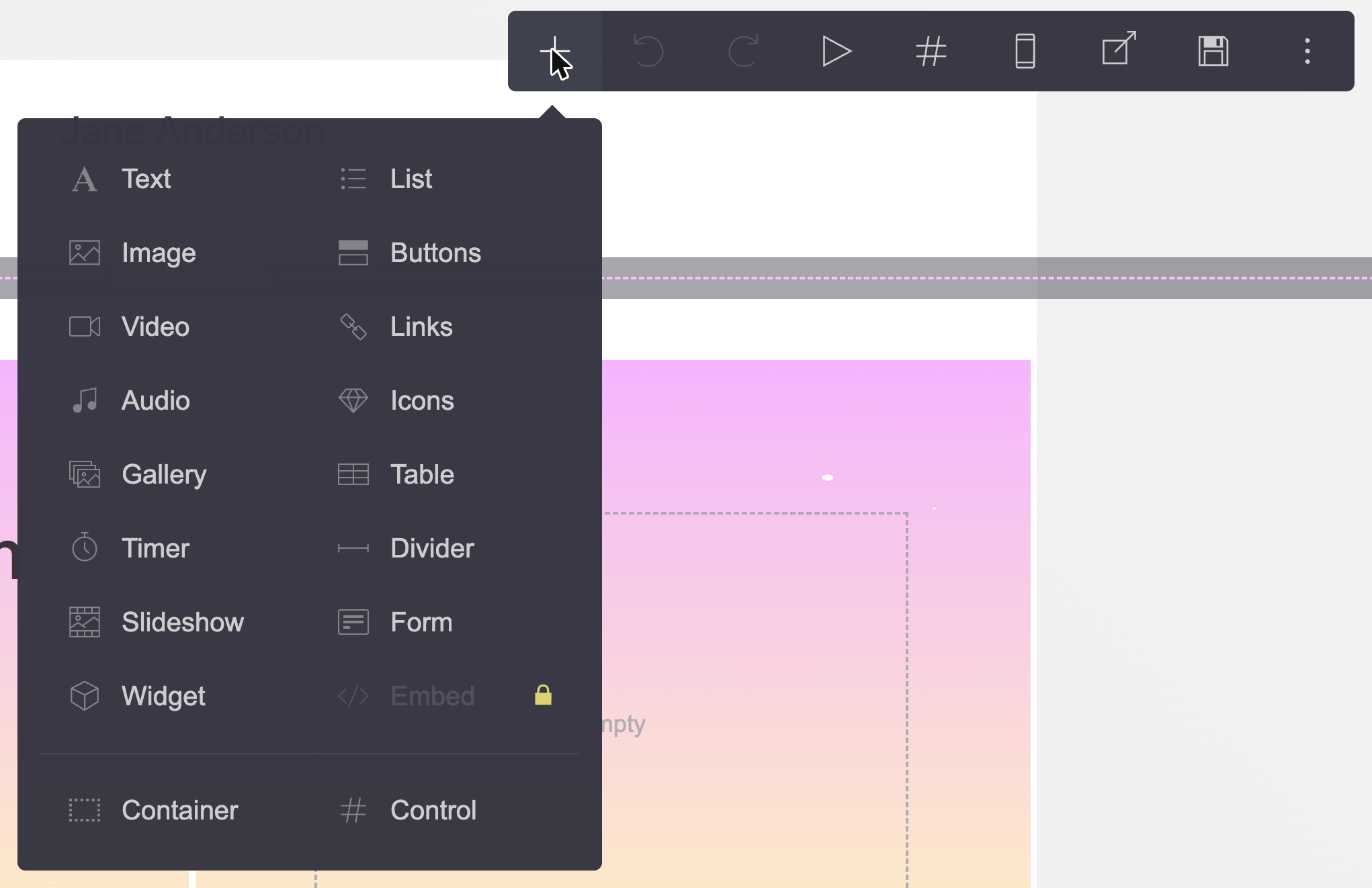
We started a trial on a fresh account while writing this and clicked through every lock we could find. The moment it kicked in, Slideshow, Form and Widget lost their locks in the Add Element menu. Embed kept its lock:
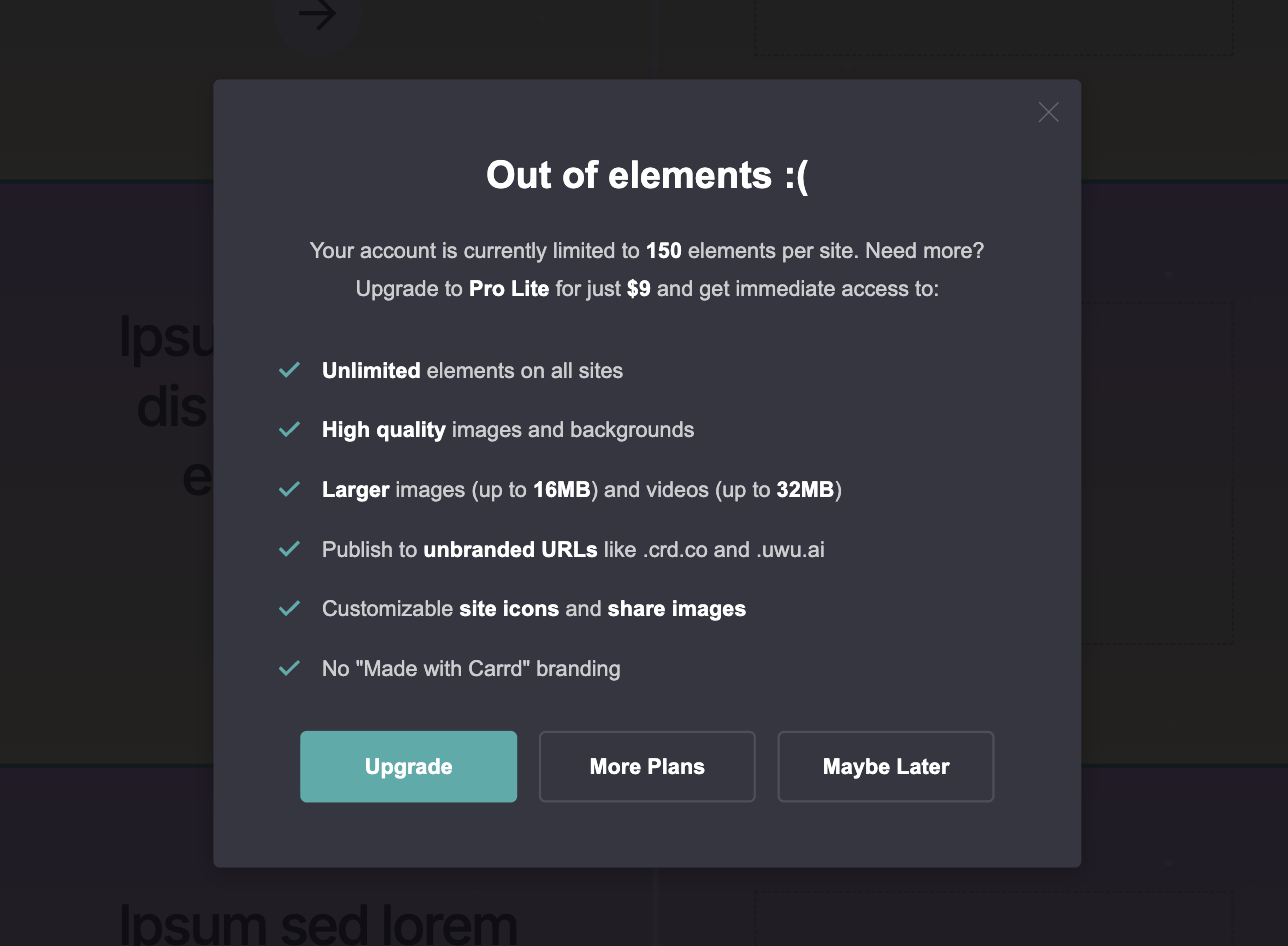
The 150-element figure is real, too. We tried and kept adding elements until the editor stopped us, at element 150, with the same “Out of elements :(” box the free plan shows at 50:
Here are a few things the docs don’t mention:
- the premium URL endings (.crd.co, .ju.mp and friends) sit locked in the publish dropdown
- the Indexing toggle is locked (a
robots=noindexmeta tag is the only way to keep a trial site out of Google) - and Sharing, Transfer, Download and Site Files each show a lock with the Pro tier they need (“Available with Pro Lite!”, “Available with Pro Plus!”).
- two days before the end, the dashboard grows a red “Your Pro trial ends soon!” banner and Account → Plan switches to “Ending soon”.
- when it ends you’ll get a coupon code with a 10% discount, see below
That missing Embed catches a lot of people. Someone trying to test a Tally form: “The carrd pro free trial wouldn’t allow me to test the embed feature.” Another, on transfers: “they make it sound like the trial has all the pro features but sadly no.” If custom code is your whole reason for going Pro, the trial can’t show you that. Pro Standard is $19; that’s the cheapest way to test it.
What the trial does show you: 50+ elements, forms and no branding.
The trial trap
The trial is not “Pro Standard for a week”. It’s a mix of features from all three tiers, but the builder won’t really tell you which is which. Advanced forms are Pro Plus, but they’re in the trial. So you build a signup form with custom fields, the trial ends, you buy Pro Standard because that’s the plan everyone recommends – and your form stops working. Carrd’s own troubleshooting page admits this can happen. The fix is paying up for Plus or re-buidling the form in Standard.
⚠️ Before you buy, check which tier each feature on your trial site belongs to. Carrd will actually tell you: open the site in the dashboard and scroll down on Overview. The “Features” box lists every plan feature the site depends on, and the Transfer page spells out the minimum plan in one line (“The account must also be on Pro Standard or higher due to the features used by this site”). Our test site, with a contact form, a Gumroad widget, analytics and a meta tag, came out as Pro Standard.
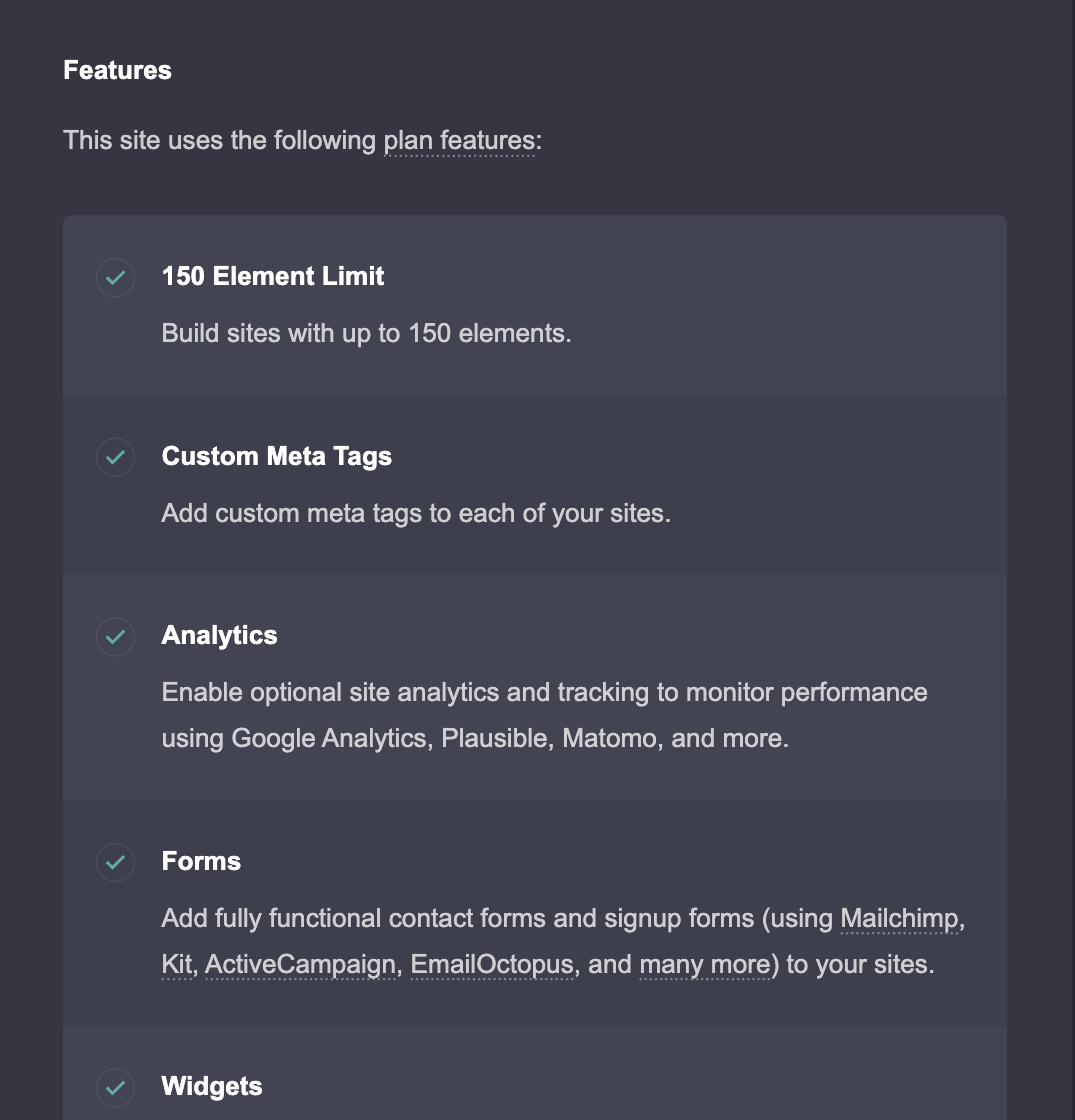
If that box says Advanced Forms, Standard won’t do. Custom form fields, file uploads and Stripe Checkout in a form are Plus.
What happens on day 7
The docs don’t say. So we tried with our test account: We let our trial run out and checked the next morning. Short version: the site went dark, the builder kept everything, and the only notice was an email.
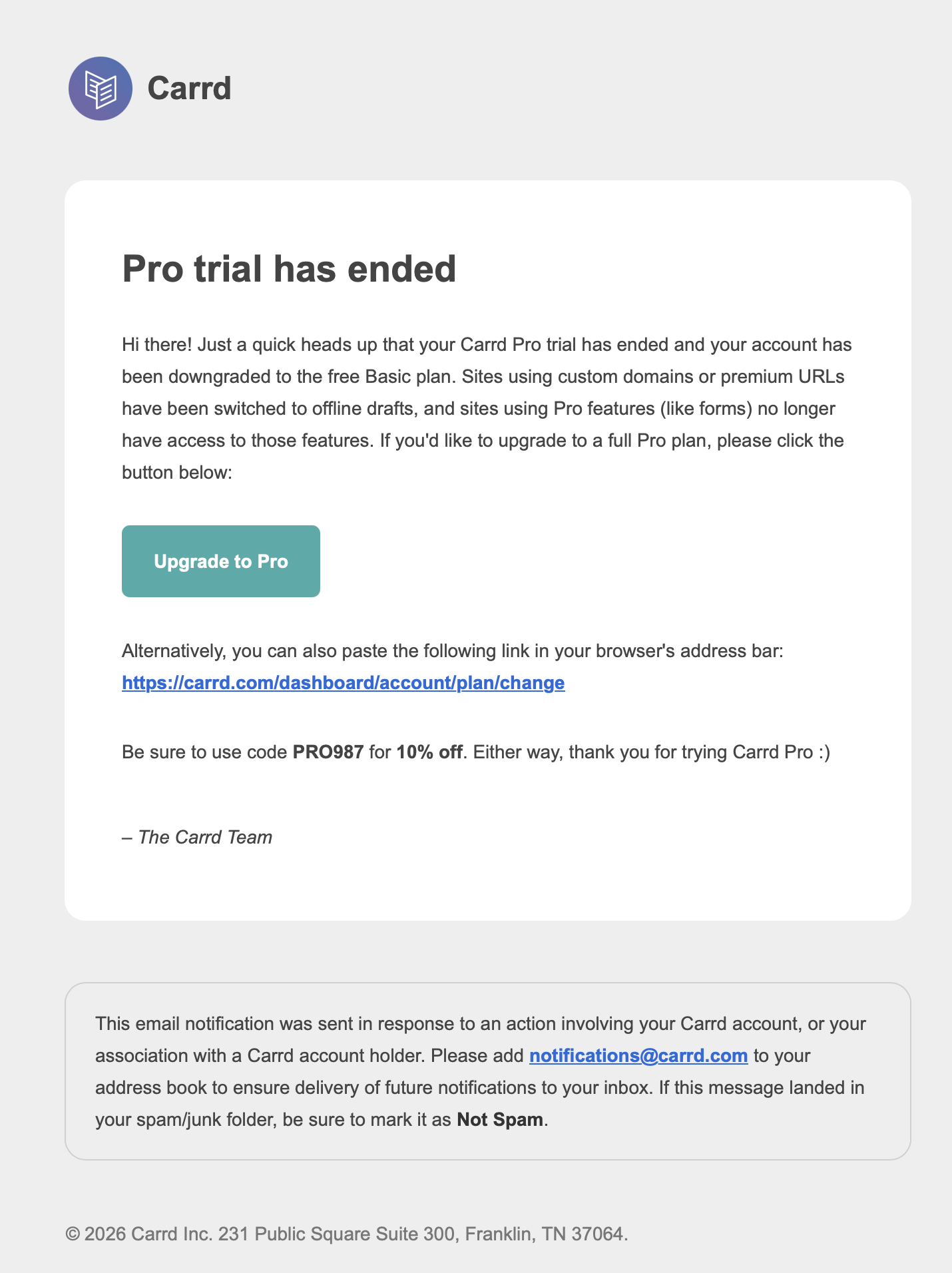
Our test site was on a custom domain, and it did what the email says: it became an offline draft overnight. Visitors get a 404, there is no grace period. The custom domain was wiped from the site’s settings, the domain option locked, and our old .carrd.co name had been released (it showed “Available!” again). Analytics and the meta tag we’d set weren’t just disabled but deleted. The dashboard itself didn’t say a word: Account → Plan just read “Basic”, as if the trial had never happened.
Inside the builder, nothing was missing: still 149 elements, the contact form and the widget still there. The Add Element locks came back, but the work was intact.
Then we republished it to a .carrd.co address, which the free plan allows, to see what Carrd would do with 149 elements and a form. It said “Done! Site successfully published.” Without a warning. But what actually went live was 35 elements out of 144: the first 50-odd in panel order, the rest silently cut off, form and widget gone, “( Made with Carrd )” back at the bottom. That’s the behavior people describe on Reddit: buttons that just stopped working with no idea why. In builder everything looks fine but the live page is chopped. We go through the full expiry checklist two sections down.
And if you want to end the trial early, one user couldn’t find a way. It runs out on its own.
How Carrd billing actually works
Carrd’s billing is a bit unusual, and most of the confused threads on r/Carrd come from not knowing how it’s wired.
Yearly only. Carrd is yearly only. No monthly plan, no exceptions. At $19 a year most people stop asking after a second. Prices are in USD, so your bank converts and adds its fee: a Canadian user was surprised to pay $8.44 for a discounted “$6” Lite plan.
Your money goes into a balance first. You pay by PayPal or card, the amount lands in your account balance (Carrd calls it virtual cash), and the balance buys the plan. It can’t be withdrawn. The “Available to Payout” line below it is separate: referral earnings, paid to PayPal from $25 up.
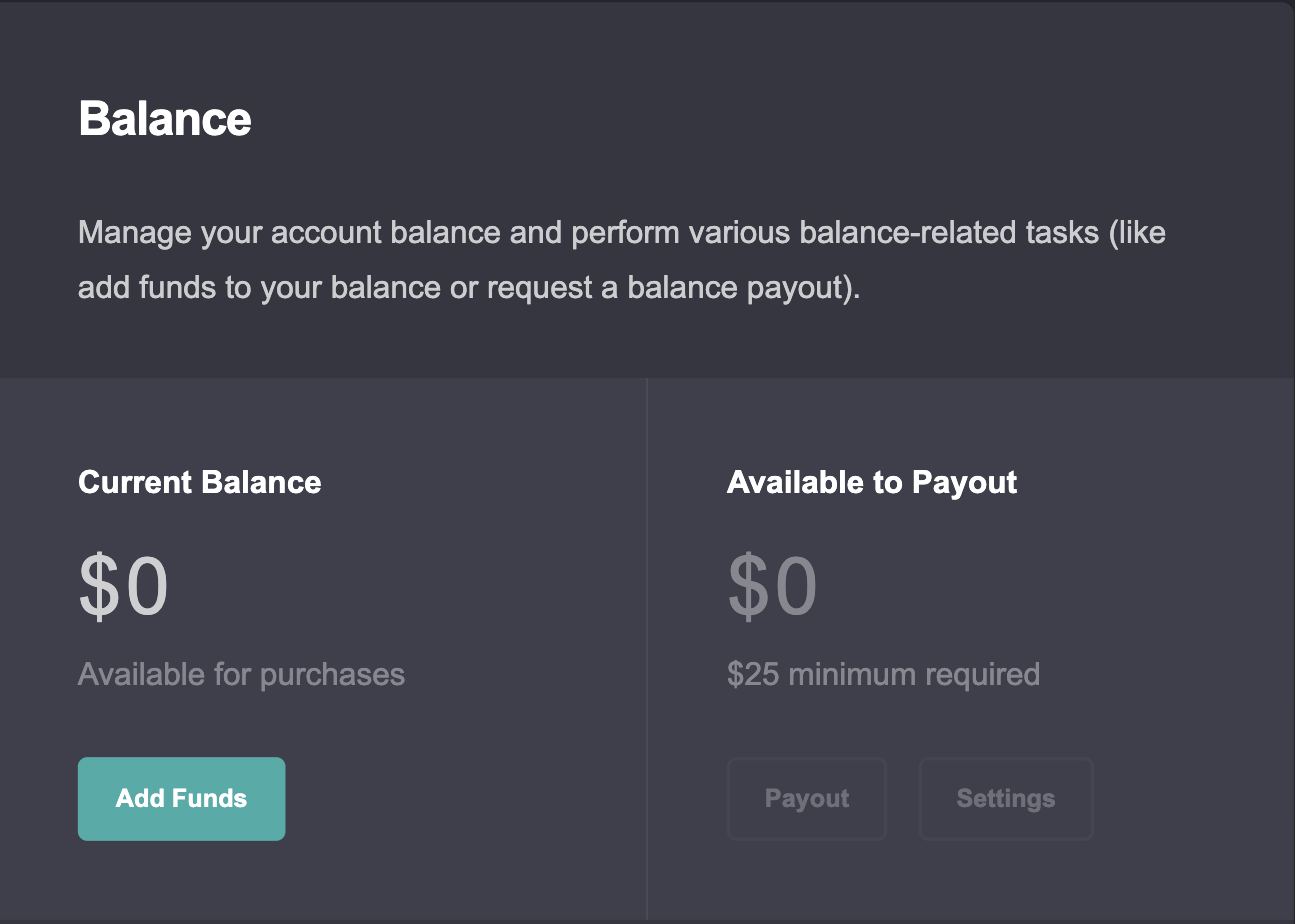
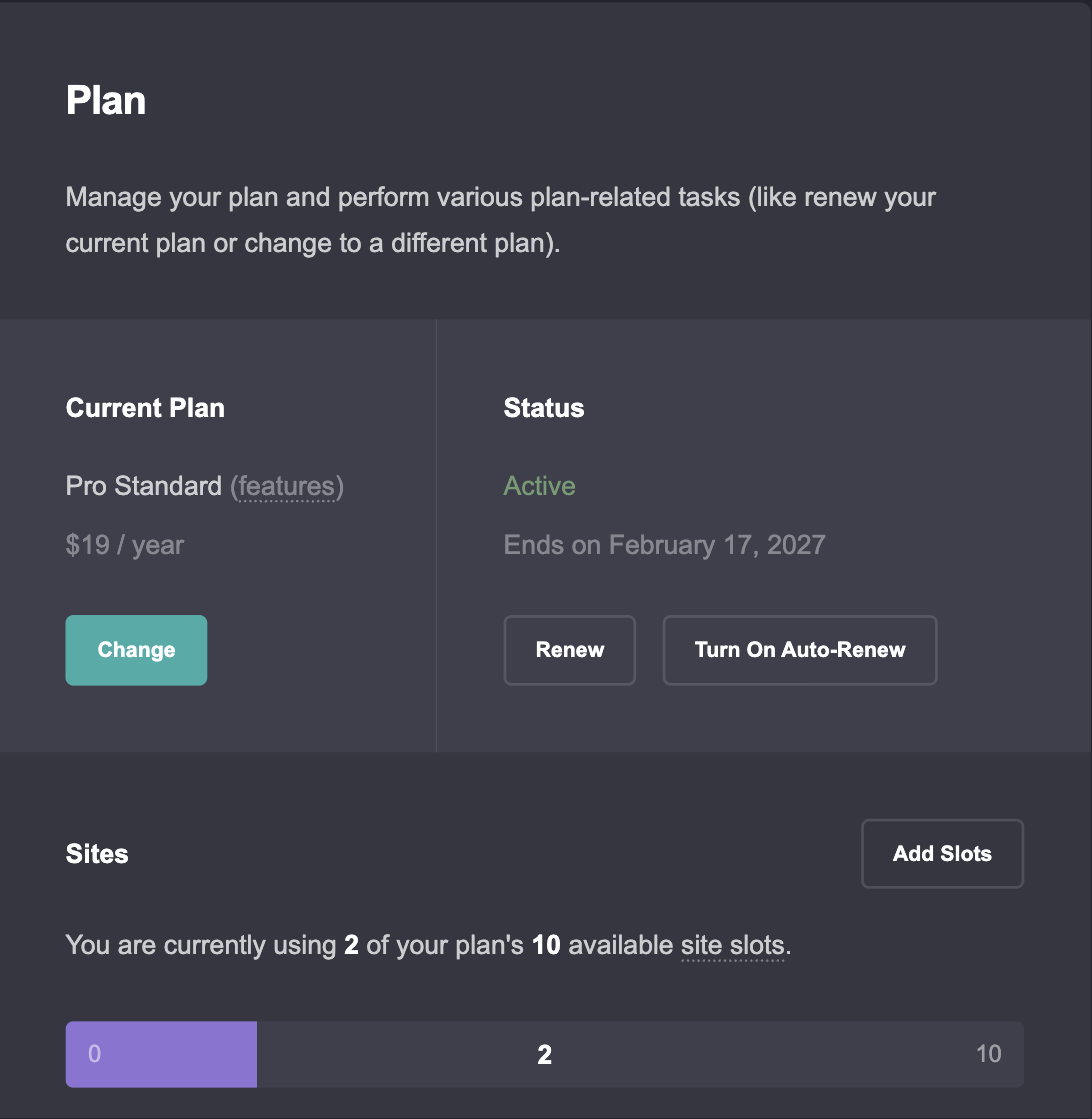
Auto-renew is optional, and you should turn it on. Carrd calls the alternative pay as you go. On our Standard test account it was off. Account → Plan shows “Ends on…”, a Renew button and a Turn On Auto-Renew button. With auto-renew on, Carrd draws from your balance first, then your saved card, and emails you if both fail. With it off, the plan just lapses on the end date, and one user got no obvious warning before their pages stopped loading. Turn it on, or put the date in your calendar.
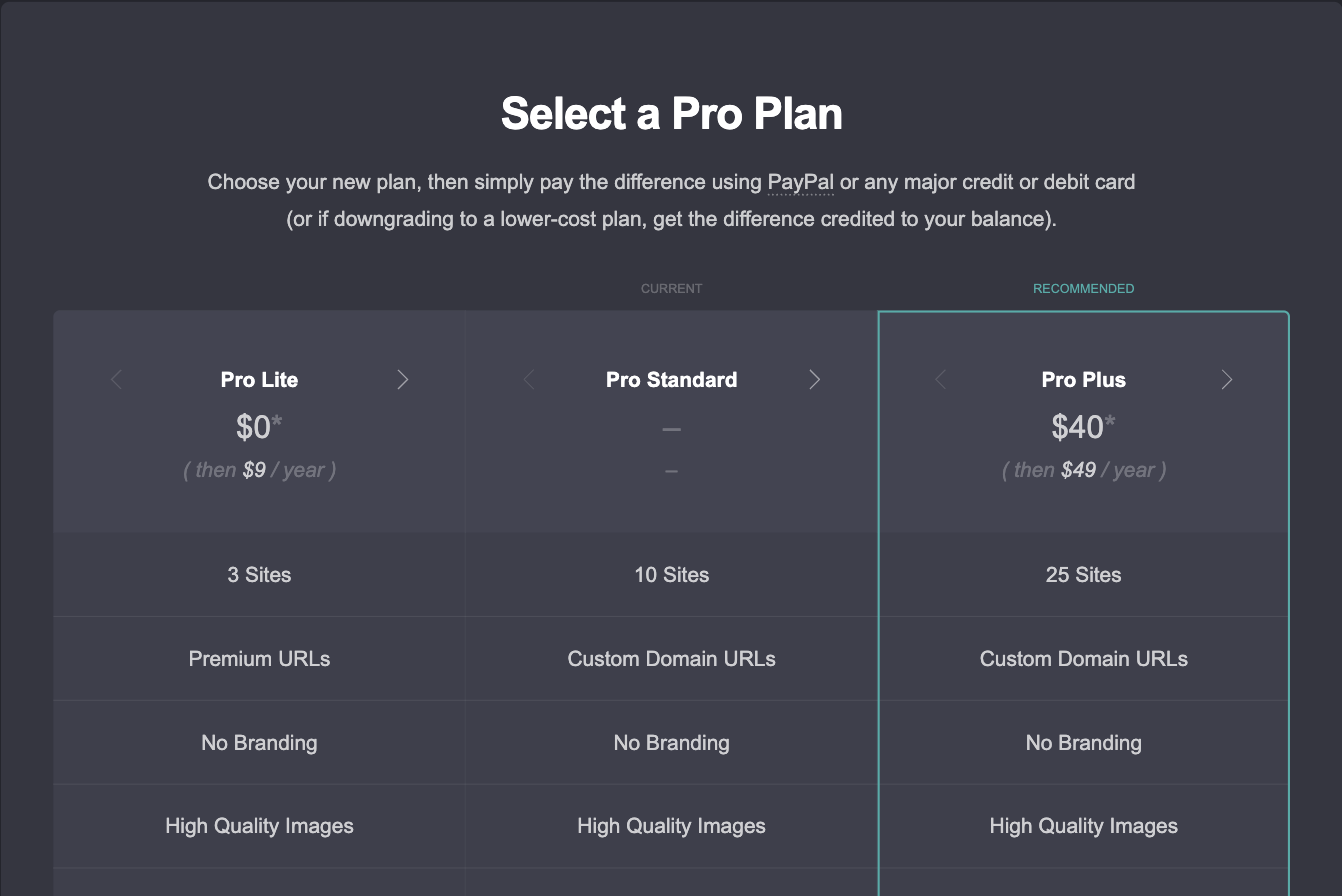
Upgrading mid-year: you pay the difference (the fancy term for this is prorating). What it does: what is left on your current plan comes off your payment. Here’s our Standard account with about five months to go. The time left is worth around $9. So for us Pro Plus is $40 now, then $49 a year. One thing to know: users report the upgrade resets your renewal to a full year from that day, which is why one user says they “always try and upgrade during the 40% off BF deal because of that.”
Downgrading is not a great experience. You’ll get credit, not a refund: the difference goes to your balance and can only be used for future Carrd purchases. Also, Carrd blocks the downgrade until every higher-tier feature is gone from every site. One Plus user going to Standard spent the evening “clicking every single element on every single website I had for an hour.”
Refunds. Carrd’s terms say purchases are final and non-refundable, and that a refund isn’t required for any reason. One G2 reviewer did get their money back after outgrowing Carrd. That seems to be goodwill, not the policy.
Discounts and codes.
- No public coupon page. Black Friday sales have run in past years; at usually 40% off, and codes work for renewals, too.
- The one code we can confirm: the “Pro trial ends soon” email Carrd sends about three days before a trial ends carries a 10% off code. So if you’re going to buy anyway, start the trial first and wait for the email.
- ⚠️ Basically every “Carrd discount code” you can find on Reddit or X is a referral code. It gives you nothing; the poster earns 30% of your payment.
- Pro can be gifted as a 15-digit redeem code, valid for five years.
- One Trustpilot reviewer got a student discount by asking support. Worth an email if you qualify.
If payment goes wrong. PayPal errors, declined cards and “charged but no plan” threads are a recurring genre. Support is a form, not chat, with replies in about a day. If a payment errors, don’t go on reddit, instead contact Carrd support.
What happens when your Pro plan expires
Carrd’s terms only say this: after a “short grace period” (length unstated) your account drops to the free plan and your sites “lose access to any Pro features”. The trial reminder email is a little more specific: custom-domain and premium-URL sites “will be switched to offline drafts”, and sites using Pro features “will lose access to those features”.
So we tested it. We loaded a trial site with 149 elements, a contact form, a Gumroad widget, analytics, a meta tag and a custom domain, let the trial lapse (same downgrade path as an expired plan, minus the grace period), and checked the next day. Here’s what a lapse actually does, our findings plus the consistent user reports:
- Custom-domain sites become offline drafts, the same night. Visitors get a 404. The domain is removed from the site’s settings, not just switched off, so after renewing you re-enter it and republish. Users report the same.
- Sites beyond your first 3 become drafts too (user reports; our test account only had one site).
- Nothing is deleted from the builder. Our site still had all 149 elements, the form and the widget. (see the canonical community answer from 2023.)
- But republishing silently chops the site. Carrd let us publish the 149-element site to a
.carrd.coURL with a cheerful “Done!” and put 35 elements online: the first 50-ish in panel order, everything after that dropped, form and widget gone. No error, no warning. Always look at the live page after a lapse, not the editor. - Embeds and forms vanish from the published page. One user found out when a stolen card silently killed their renewal.
- The “( Made with Carrd )” footer comes back. Confirmed.
- Analytics and custom meta tags are wiped, not paused. Our Google Analytics provider and
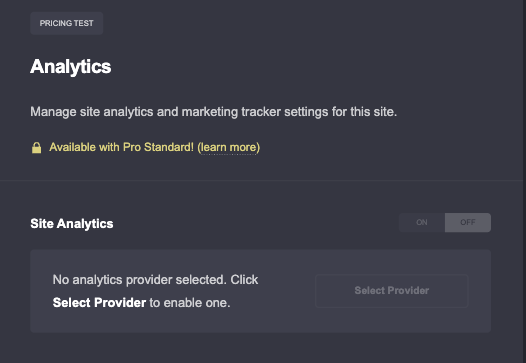
robotstag were gone from the settings. Note them down before a lapse. - The dashboard won’t tell you. Account → Plan just says “Basic”. The only notice is an email.
Before you let a plan lapse:
- Note which sites use a custom domain, forms or embeds. Those are the ones that break.
- Want a site to stay live on the free plan? Trim it to 50 elements and a
.carrd.coaddress first. Carrd won’t stop you publishing a bigger one; it’ll just cut it off at 50. - Write down your analytics ID and custom meta tags. They get wiped.
- Get down to 3 sites total, drafts and templates included.
- On Pro Plus? Download your sites (Plus-only) before you drop. Forms won’t work offline, but you’ll have the HTML.
- Extra sites you care about? Transfer them to someone with spare paid slots on a matching plan. Transfers need Pro, so do it before the end date.
Do that and expiring is boring, which is exactly what you want.
Real yearly cost vs Linktree, Squarespace, Wix, Webflow
Carrd’s $19 headline only means something next to what everyone else charges. So here’s the same job, one live page on your own domain, priced across the usual suspects. All USD, annual billing, first year, domain at a round ~$12 where the builder doesn’t throw one in.
| Builder & plan | Plan / year | Domain | Year one |
|---|---|---|---|
| Carrd Pro Lite (no custom domain) | $9 | – | $9 |
| Carrd Pro Standard | $19 | ~$12 | ~$31 |
| Linktree Starter | $72 | – | $72 |
| Linktree Pro | $144 | – | $144 |
| Webflow Basic | $180 | ~$12 | ~$192 |
| Wix Light | $204 | free year 1 | ~$204 (then ~$216+) |
| Squarespace Basic | $228 | free year 1 | ~$228 (then ~$248+) |
Prices checked September 2026. Wix and Squarespace bundle a free domain for the first year, then charge for the renewal. Linktree isn’t a website builder, so no domain is added there.
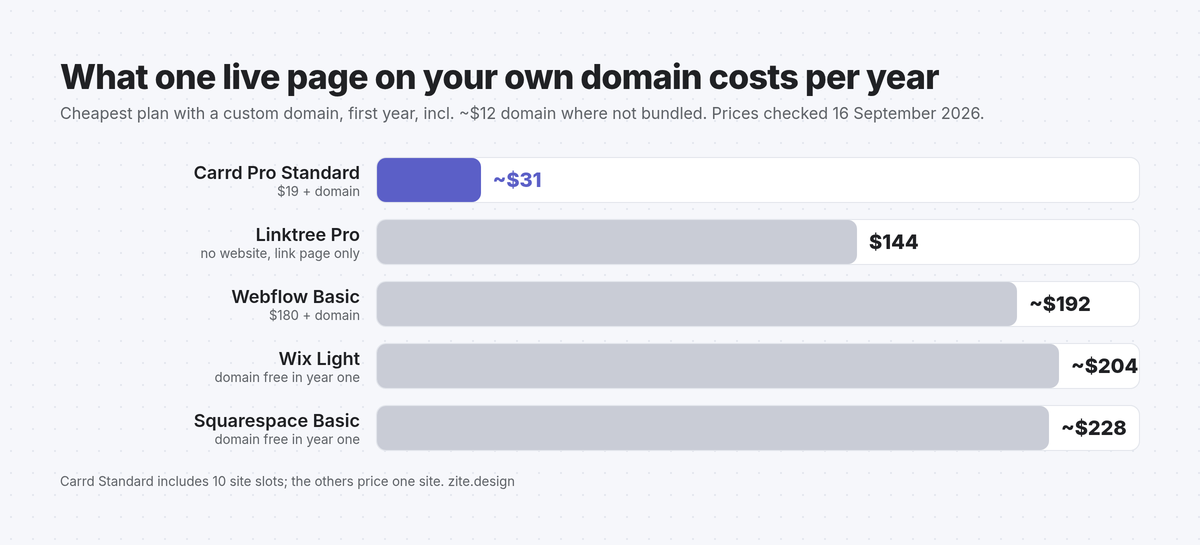
Carrd Standard plus a domain costs less than two months of Squarespace. Put another way, Squarespace’s cheapest plan costs about seven times Carrd Standard plus a domain. And Carrd Standard gives you ten site slots for that $19; Squarespace and Wix give you one site.
One r/Carrd user summed up the switch in a sentence: “just moving from Squarespace ($138p/a) to Carrd ($19)… Took me 24 hours.” Another, on the 25-site plan: “What other website builder offers all its features, for 25 websites (!), for just $4 per month?”
Now the honest half. That price buys a one-page site. You give up:
- A blog and a CMS. No posts, no collections, no “add a page”. (There are workarounds for running a blog in Carrd, but they’re workarounds.)
- Deeper SEO controls. Meta tags and analytics are there on Standard; the full toolkit isn’t. If ranking a 40-page site is the plan, Carrd isn’t the tool.
- Auto-save. Carrd doesn’t have it. Hit save often. You will forget once, and you will remember that day.
For a landing page, portfolio or waitlist, none of that matters much. We wrote up what does in our startup website in Carrd guide.
Is Carrd Pro worth it? Verdict by use case
Short version: yes for almost everyone who’s outgrown the free plan, and the right tier depends on the job, not the feature list.
Link-in-bio, fan page, RP page. Stay free until the “Out of elements” message shows up at 50. Then Pro Lite ($9): unlimited elements, no footer branding, a .crd.co or .ju.mp URL. You don’t need a domain or forms for this, so don’t pay for Standard just because it’s the “recommended” one.
Freelancer portfolio. Pro Standard ($19). You want your own domain, a contact form that lands in your inbox, and high-quality images instead of the free plan’s compressed 2 MB uploads. Lite can’t do the first two.
Startup landing page with a waitlist. Pro Standard. The Signup form talks to Kit, Mailchimp, beehiiv and 17 other providers, GA4 and Meta/TikTok pixels plug in under Analytics, and the Embed element covers anything else (Calendly, Tally, custom CSS). This is our 🏆 pick for most readers.
Client work / agency. Pro Standard 25 ($39) or 100 ($119), which works out to $1.19 per site per year. Agencies tend to keep quiet about that. Go Pro Plus only if clients need password-protected previews; Standard has no password feature at all.
Selling something. Pro Standard with a Gumroad or Stripe button via the Widget element. Pro Plus ($49) only if the checkout has to live inside a form (Stripe Checkout, custom fields, file uploads). More in Carrd e-commerce.
⚠️ No need to buy Plus “just to be safe”. Most Plus-only styling can be done on Standard with one Embed element. And if you do need Plus later, you pay the prorated difference, not a new full price.
Templates: The fastest way from your Pro payment to a live site isn’t starting on a blank canvas. Our Carrd templates are built for Pro Plus or Pro Standard: pick a Carrd template, swap the text and images, publish.
FAQ
How much is Carrd Pro?
Carrd Pro costs $9, $19 or $49 per year for Pro Lite, Pro Standard and Pro Plus. That’s $0.75, $1.58 and $4.08 a month, but you pay yearly, in USD, plus VAT where it applies. Bigger site-count variants go up from there (Pro Standard 25 is $39, Pro Plus 50 is $89).
Is Carrd free forever?
Yes, the free plan doesn’t expire and needs no card. You get 3 sites, 50 elements per site, a yourname.carrd.co address and a small “Made with Carrd” footer. No forms, embeds, custom domain or analytics.
Can I pay for Carrd monthly?
No, Carrd only sells yearly plans. Auto-renew is optional, so the yearly charge is a one-off unless you turn it on under Account → Plan. Think of it as $19 once rather than $1.58 twelve times.
Does Carrd give refunds?
Officially, no: the terms call every purchase final and non-refundable. A downgrade gives you credit on your Carrd balance, not cash back. Support has refunded people case by case, but don’t plan around it.
Is Carrd Pro Lite worth it?
Yes, if you only need the element cap and the footer branding gone. For $9 you get unlimited elements, high-quality images, video uploads and premium URLs. You do not get a custom domain, forms or embeds. Those start at Pro Standard.
Is there a Carrd discount code?
No public coupon code, but there is one reliable way to get 10% off: start the free trial, and the “Pro trial ends soon” email Carrd sends three days before it ends includes a discount code. Beyond that, Carrd runs a Black Friday sale most years (users report 30–40% off), every “discount code” in a Reddit thread is a referral code that pays the poster 30% of your purchase, and student discounts exist on request through support.
What happens if I don’t renew Carrd Pro?
After a short grace period your account drops back to the free plan; nothing is deleted from the builder. Custom-domain sites (and sites beyond your third) become offline drafts, forms and embeds vanish from the live page, the Carrd footer returns, and analytics and meta tag settings are wiped. Republishing a site with more than 50 elements works but silently cuts it off at 50. Renew, re-enter the domain and republish, and it all comes back.
Can I switch Carrd plans mid-year?
Yes, both directions. Upgrading charges the prorated difference for the months you have left, and users report it starts a fresh year on the new plan. Downgrading credits the difference to your balance, once you’ve removed every higher-tier feature from every site.
Do I need to buy a domain separately for Carrd?
Yes, for Pro Standard and up. Carrd connects a domain you already own (how it works); it doesn’t sell domains. A .com runs about $10–15 a year at Cloudflare or Namecheap (watch the renewal price). Free and Lite users get a Carrd subdomain, so no domain needed. Already own a domain? Our guide to putting a Carrd site on a custom subdomain shows how to reuse it.
Can I have more than 3 drafts on the free plan?
No, drafts, templates and archived sites all count toward your 3 site slots. Only the trash is exempt, and on free it’s emptied after 3 days. If you like trying templates, that’s the quiet reason to go Pro Lite 10 ($14) or Pro Standard (10 slots).
Ready to decide? Start the 7-day Pro Trial (no card, but note it has no Embed element) or go straight to Pro. Then grab a Zite template, or let us build the site for you. Boom.
More tips and tricks on our Carrd blog.